
We all live with them, these small habits that seem harmless. The phone charger plugged in all the time, the laptop adapter still connected even when the battery is full – little things, right? Wrong. These seemingly insignificant actions can be a major drain on your electricity bill and even pose safety risks. Let’s delve into this common habit, why we often ignore it, and how a few simple changes can make a big difference in your wallet and your peace of mind.
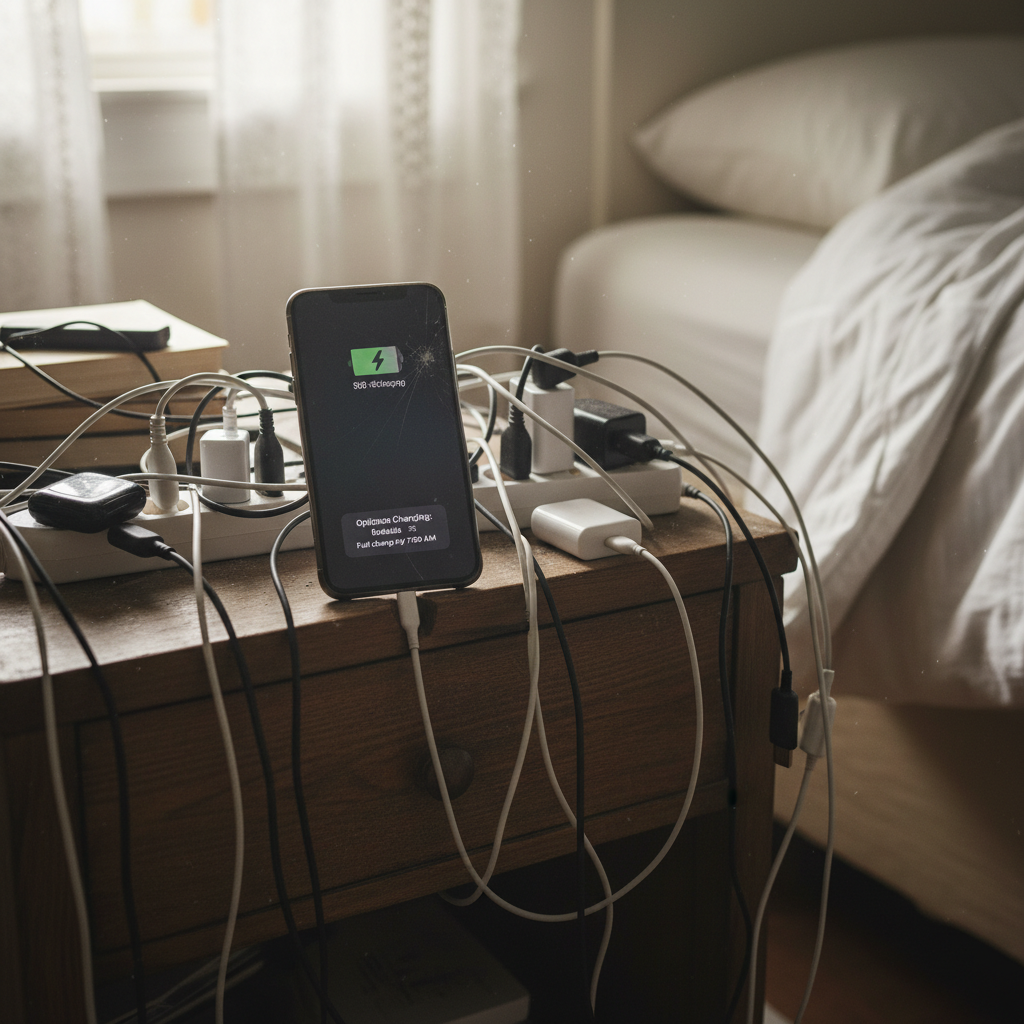
The Everyday Routine: Always-On Electronics
Think about your daily routine. You wake up, maybe scroll through your phone while it charges overnight. You work on your laptop, keeping the charger plugged in throughout the day. You have your TV, gaming consoles, and various other devices plugged in and ready to go. Many of us rarely unplug these devices, assuming they’re not drawing much power when “off.” This is where the problem starts.
Why We Overlook This Energy Drain
There are several reasons why we tend to ignore the impact of our always-on electronics.
* **Convenience:** It’s undeniably easier to have devices ready to use. Unplugging and plugging them back in feels like an unnecessary step.
* **Lack of Awareness:** Many people simply aren’t aware of the concept of “phantom load” or “vampire power” – the electricity used by devices when they’re turned off but still plugged in.
* **Perceived Low Cost:** We often assume the power draw is minimal. What’s the cost of a few watts, right? But these small amounts add up over time.
* **Habit:** It’s simply what we’ve always done. We plug things in and forget about them.
The Hidden Costs: What You’re Really Paying For
The “always-on” habit is costing you in several ways:
* **Increased Electricity Bills:** Even if it’s a small amount per device, the cumulative effect of multiple devices adds up. Over a month, these phantom loads can significantly increase your electricity bill.
* **Environmental Impact:** Every watt consumed contributes to your carbon footprint. Reducing your electricity usage is a small step towards a more sustainable lifestyle.
* **Potential Fire Hazards:** While rare, electrical devices can overheat or experience internal faults, especially if left plugged in for extended periods.
Common Mistakes and How to Avoid Them
Let’s address some common mistakes related to charging habits and how to fix them.
* **Leaving Chargers Plugged In:** This is perhaps the biggest culprit. Chargers continue to draw power even after your device is fully charged. **Solution:** Unplug chargers when not in use. It’s a simple, effective change.
* **Using Damaged Cords:** Frayed or damaged cords are a safety hazard. They can lead to electric shocks or fires. **Solution:** Regularly inspect cords and replace any that are damaged.
* **Overloading Outlets:** Plugging too many devices into a single outlet or power strip is a common mistake. This can overload the circuit and create a fire hazard. **Solution:** Use power strips with built-in surge protectors and don’t exceed the recommended wattage. Consider upgrading your electrical system if you frequently run out of outlets.
* **Ignoring Warning Signs:** Flickering lights, frequently tripped breakers, or warm outlets are all potential signs of electrical problems. Ignoring these signals can lead to serious issues. **Solution:** Address any electrical problems promptly. Consult a qualified electrician if needed.
Simple Habit Changes for a Smarter Lifestyle
Making small changes can lead to big savings and increased safety. Here are some easy-to-implement habits:
* **Unplug, Unplug, Unplug:** Make it a habit to unplug chargers, adapters, and other devices when they’re not in use. Keep a checklist near the door to remind you.
* **Use Smart Power Strips:** Smart power strips can detect when devices are not in use and cut off the power, saving you electricity.
* **Choose Energy-Efficient Devices:** When replacing appliances or electronics, look for Energy Star-certified models.
* **Be Mindful of Charging Times:** Avoid leaving devices charging overnight. Many modern devices charge quickly and don’t need to be plugged in for extended periods.
* **Regular Inspections:** Periodically check cords, outlets, and devices for any signs of damage.
Modern Relevance: Fitting Smarter Habits into Your Life
In today’s connected world, we rely on electronics more than ever. Smartphones, laptops, tablets, and smart home devices have become integral parts of our lives. This increased reliance makes it even more important to be mindful of our energy consumption. By adopting smarter charging habits, you can enjoy the benefits of modern technology without unnecessarily increasing your electricity bill or compromising your safety.
Long-Term Benefits: Savings, Safety, and Peace of Mind
The long-term benefits of adopting these simple habits are significant:
* **Financial Savings:** Even small reductions in your electricity usage can add up to noticeable savings over time.
* **Increased Safety:** Reducing the load on your electrical system decreases the risk of electrical fires and other hazards.
* **Reduced Environmental Impact:** By consuming less electricity, you’re contributing to a more sustainable lifestyle.
* **Peace of Mind:** Knowing you’re taking steps to protect your home and your wallet can bring a sense of security.
FAQ: Addressing Your Concerns
Here are some frequently asked questions about charging habits and energy consumption:
How much energy do devices use when plugged in but not in use?
The energy consumption varies depending on the device, but it can range from a fraction of a watt to several watts. While this may seem insignificant individually, the cumulative effect of multiple devices can add up to a significant amount over time. Studies show that phantom energy can cost an average of $100 per year.
Are smart power strips worth the investment?
Yes, smart power strips can be a worthwhile investment. They automatically cut off power to devices that aren’t in use, helping to reduce phantom load and save on your electricity bill. They also often include surge protection, which can protect your electronics from damage.
What are the signs of an overloaded circuit?
Signs of an overloaded circuit include flickering lights, frequently tripped circuit breakers, warm outlets, and the smell of burning plastic. If you notice any of these signs, you should address the issue promptly by reducing the load on the circuit or consulting an electrician.
Is it safe to charge my phone overnight?
Modern smartphones have built-in safety features to prevent overcharging. However, it’s generally best practice to avoid charging your phone overnight. Unplugging the charger once the phone is fully charged can help conserve energy.
How can I identify which devices are using the most energy?
You can use a “kill-a-watt” meter to measure the energy consumption of individual devices. This device plugs into an outlet, and you plug the device you want to measure into the kill-a-watt. It then measures the power consumption in watts and kilowatt-hours.
Should I be concerned about the heat from a charger?
Some heat is normal when a charger is in use. However, if a charger feels excessively hot to the touch, it could indicate a problem. Unplug the charger and inspect it for any signs of damage. If you’re concerned, replace the charger.
When should I call an electrician?
You should call an electrician if you notice any of the following: frequently tripped circuit breakers, flickering lights, burning smells, warm outlets, or any signs of damaged wiring. It’s always best to err on the side of caution when dealing with electrical issues, and a qualified electrician can ensure your home’s electrical system is safe.
Conclusion
Taking control of your charging habits is a simple yet effective way to save money, increase safety, and contribute to a more sustainable lifestyle. By being mindful of the energy your devices consume, you can make a real difference, one unplugged charger at a time. For more tips on reducing water usage, you can explore “The Silent Thief in Your Bathroom: Unmasking Water Waste and Saving Your Wallet” on our homepage [Internal Link 1].
For further information on home improvement and saving, visit our homepage [Internal Link 2].