
I wake up like most people. The alarm blares, I hit snooze a couple of times, and eventually drag myself out of bed. My phone, plugged in overnight, is at 100%. Then the day begins: a quick coffee, maybe some news on the smart TV, and then off to work. Sounds familiar? It’s a pretty standard routine. But what if I told you that just by living this “normal” life, you’re likely letting money slip through your fingers, every single day? And no, I’m not talking about that overpriced coffee. I’m talking about the silent energy vampire lurking in your home: phantom load.
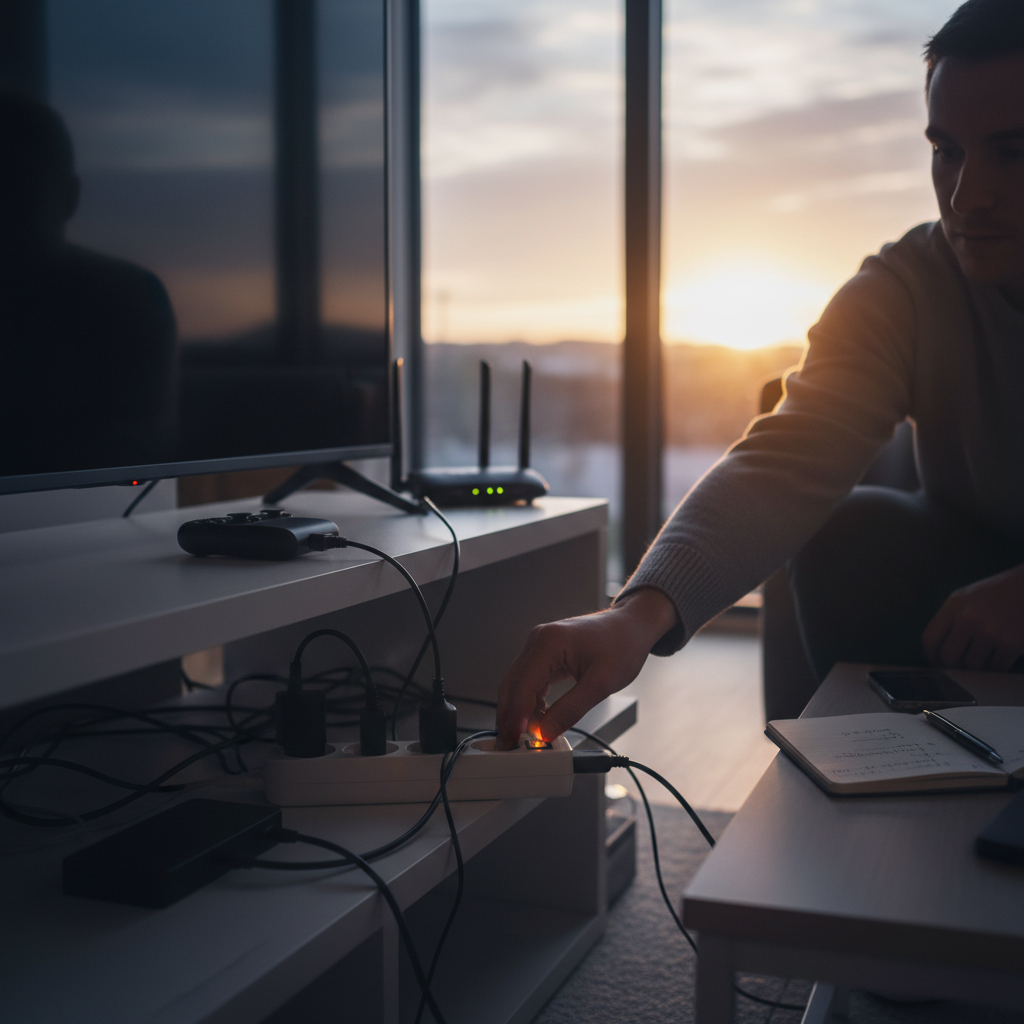
What is Phantom Load, Anyway?
Phantom load, also known as standby power or vampire power, is the electricity consumed by electronics and appliances when they’re turned off but still plugged in. Think about it: your TV is off, but that little red light is on, indicating it’s still receiving power. Your phone charger is plugged in, even if no phone is connected. Your microwave clock is glowing, always ready to tell you the time. These are all examples of phantom load.
We’re so used to these devices, these little conveniences, that we barely give them a second thought. They’re just “there.” But each one is subtly, silently drawing power, 24/7, 365 days a year. It’s like having a tiny, invisible tap constantly dripping water into your electricity bill.
Why We Ignore the Silent Drain
Here’s the thing: most of us know about phantom load. We’ve heard the term, maybe read an article or two. But it’s easy to dismiss it. Here’s why:
- It seems insignificant: “Oh, it’s just a few watts,” we think. “What difference can that make?” Well, those few watts add up, especially over time.
- Convenience wins: Unplugging and plugging things back in is a hassle. Who wants to crawl behind the TV every night?
- We don’t see the cost directly: Unlike a leaky faucet that drips visibly, phantom load is invisible. You don’t see the money draining away in real-time. It’s a line item on your bill, blended in with everything else.
- Misinformation and myths: Some people believe the energy used is negligible or that modern electronics are designed to minimize this. While some devices are more efficient than others, the problem still exists.
I used to fall into all these traps. It seemed like too much effort for too little reward. “It’s not worth it,” I’d tell myself. Until I actually took a closer look.
The Hidden Costs: Beyond the Dollars and Cents
The financial cost is the most obvious. But there’s more to it than just a higher electricity bill. Here’s a deeper look at the problems phantom load causes:
- The financial impact: The average household can spend anywhere from $100 to $200 per year on phantom load, depending on the number of devices and their energy consumption. That’s money you’re literally throwing away. Imagine what you could do with that extra cash.
- Environmental impact: All that wasted energy contributes to the demand for electricity, which often means more fossil fuels burned at power plants. Reducing phantom load is a simple way to lessen your carbon footprint.
- Strain on the grid: When everyone is using electricity, even in small amounts, it puts a strain on the power grid. This can lead to blackouts or brownouts, especially during peak demand periods.
- Fire hazard: While rare, leaving devices plugged in can pose a fire hazard, especially if the appliance is faulty or the wiring is old. Overheated cords and malfunctioning devices are potential risks.
- Shortened device lifespan: Constantly drawing power, even in small amounts, can potentially shorten the lifespan of some electronics.
Common Mistakes We Make (and How to Fix Them)
Okay, so phantom load is a problem. But what are we actually doing wrong in our daily lives? Here are some common mistakes and simple solutions:
- Leaving chargers plugged in: This is a big one. Phone chargers, laptop chargers, electric toothbrush chargers – they all consume power even when they’re not charging a device.
- Fix: Unplug chargers when not in use. It’s that simple. Get in the habit of unplugging them before you go to bed.
- Using power strips incorrectly: Power strips are a great tool, but they’re not a magic bullet. If you leave the power strip switch on, the devices connected to it will still draw power.
- Fix: Use power strips with an on/off switch and flip the switch when you’re not using the devices connected to it. Smart power strips that detect when a device is in standby mode are also available.
- Ignoring “smart” devices: Smart TVs, streaming devices, game consoles, and even some appliances often have features that keep them in a low-power mode, ready to respond to commands.
- Fix: Unplug these devices when not in use. Or, if they’re used frequently, consider using a smart power strip that automatically cuts off power when the device is idle.
- Failing to address older appliances: Older appliances, like TVs and microwaves, tend to be less energy-efficient and consume more power in standby mode.
- Fix: Consider upgrading to newer, more energy-efficient models when possible. This is a long-term investment that can pay off over time.
- Not checking device settings: Some devices have settings that allow you to reduce their standby power consumption.
- Fix: Take a look at your device’s settings. Many smart TVs, for example, have an “energy-saving” mode.
Simple Habit Changes for a Smarter, More Efficient Home
The good news is, fixing the phantom load problem doesn’t require a major overhaul of your lifestyle. It just requires a few small habit changes. Here’s a practical guide:
- Unplug regularly: Make it a habit to unplug chargers, small appliances, and electronics when they’re not in use. Keep a basket or drawer near your charging station so you can neatly stow cords when not in use.
- Use power strips strategically: Connect multiple devices to a power strip and turn it off when not in use. Place the power strip in an accessible location for easy access.
- Invest in smart power strips: These are a game-changer. They automatically cut off power to devices in standby mode.
- Embrace the “unplug before bed” ritual: Make unplugging part of your evening routine, just like brushing your teeth.
- Audit your appliances: Once a month, or at least every few months, do a quick audit of your electronics. Identify those that are constantly plugged in and consider whether you need them to be.
- Educate your family: Get everyone in your household on board. Explain the benefits of reducing phantom load and make it a family effort.
- Monitor your energy bill: Pay attention to your electricity bill. Are you seeing a decrease in your energy consumption?
- Consider a home energy monitor: These devices can track your energy usage in real-time, helping you identify energy-guzzling appliances and track your progress.
Modern Lifestyle Relevance: Making It Work for You
I know, I know. Life is busy. We’re juggling work, family, and everything in between. The idea of adding more tasks to the to-do list can seem overwhelming. But making these small changes is easier than you think. Here’s how to integrate them into your modern lifestyle:
- Set reminders: Use your phone to set reminders to unplug chargers or turn off power strips.
- Create designated “unplug zones”: Designate specific areas in your home for charging electronics. This makes it easier to keep track of cords and chargers.
- Combine it with other habits: Link unplugging to your existing routines, such as your bedtime routine or your morning coffee ritual.
- Make it a game: Turn it into a family challenge. See who can unplug the most devices in a week.
- Focus on progress, not perfection: Don’t get discouraged if you forget sometimes. The goal is to make these habits, not to be perfect.
Long-Term Benefits: Savings, Safety, and Peace of Mind
The benefits of reducing phantom load go far beyond simply saving money. Here’s what you can expect:
- Lower electricity bills: Over time, the savings will add up. You might be surprised at how much you can save each month.
- Reduced environmental impact: You’ll be contributing to a greener planet by reducing your energy consumption.
- Increased safety: By unplugging devices, you reduce the risk of electrical fires.
- Extended device lifespan: You might extend the lifespan of your electronics by minimizing the time they spend in standby mode.
- Peace of mind: Knowing that you’re being proactive about energy conservation can give you a sense of control and peace of mind.
Frequently Asked Questions
Let’s address some common questions about phantom load:
- Is it really worth the effort to unplug devices?
Yes, absolutely. While the individual savings might seem small, they accumulate over time. Plus, it’s a simple way to make a positive impact on the environment and increase your home’s safety.
- Do all electronics consume phantom load?
No, not all electronics consume the same amount of phantom load. Some devices, like older appliances, consume more. Newer devices are often designed to be more energy-efficient, but they still draw some power when in standby mode.
- Are smart power strips really effective?
Yes, smart power strips can be a very effective way to reduce phantom load, especially for devices that are often left in standby mode, such as TVs and gaming consoles.
- Will unplugging my devices damage them?
No, unplugging your devices will not damage them. In fact, it can potentially extend their lifespan.
- How can I measure how much phantom load my devices are using?
You can use a kill-a-watt meter to measure the amount of power your devices are consuming. These meters plug into the wall and then you plug your device into the meter. They are relatively inexpensive and can give you a clear picture of your energy usage.
- Are there any government rebates or incentives for energy-efficient products?
Yes, many governments and utility companies offer rebates and incentives for purchasing energy-efficient appliances and devices, including smart power strips. Check with your local utility company to see what programs are available in your area.
- Does turning off a device with the power button eliminate phantom load?
Not always. Many devices still draw power even when turned off with the power button. The only way to completely eliminate phantom load is to unplug the device or use a power strip with an on/off switch.
Breaking the habit of letting devices sit idly by, consuming energy 24/7, can be a game-changer for your wallet and your peace of mind. It’s a small change with significant rewards. Start today. Unplug those chargers. Flip those switches. And watch the savings, and the feeling of control, grow.
For more tips on saving money and making your home more efficient, visit go-cittrusburn.info.