
Let’s face it: we’ve all been there. That sickening moment when your phone slips from your grasp, and the world seems to slow down as it makes its inevitable descent towards the unforgiving ground. The result? A spiderweb of cracks, a screen that’s unresponsive, or worse, a completely black display. It’s a modern-day tragedy, but one that’s surprisingly common. In this guide, we’ll dive into the world of smartphone screens, covering the problems, the solutions, and the habits that can keep your display looking pristine.
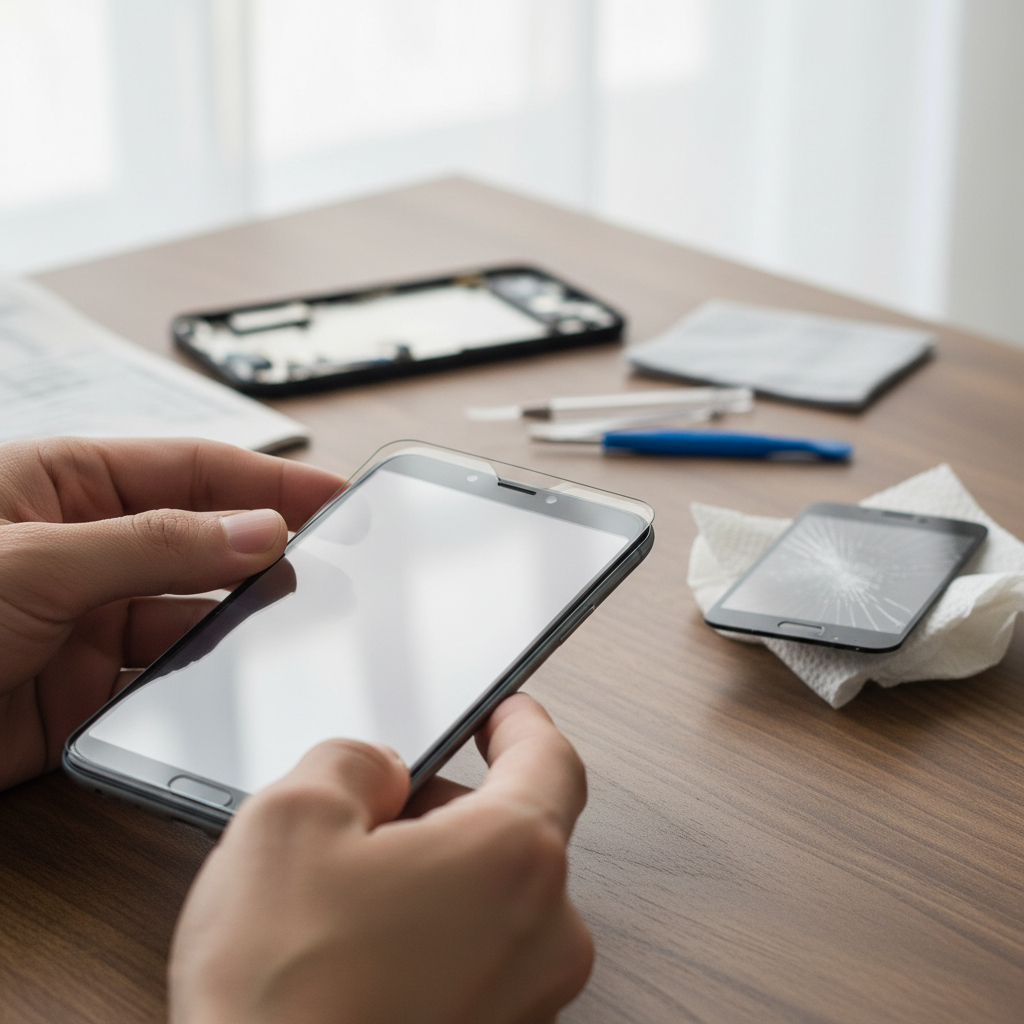
The Daily Frustration: Screen Damage Scenarios
Think about how much time you spend looking at your phone’s screen. Now, consider the hazards it faces:
* **The Pocket Plunge:** Your phone takes a tumble from your pocket while you’re getting in or out of a car.
* **The Tabletop Terror:** You knock your phone off a table or counter with a careless swipe.
* **The Backpack Blitz:** A heavy object crushes your phone in your backpack.
* **The Bathroom Blues:** A slippery hand and a tiled floor – a recipe for disaster.
These are just a few examples, but they illustrate how easily screen damage can occur.
How Your Smartphone Screen Actually Works (Simplified)
Understanding how your screen functions can help you appreciate its fragility and the importance of taking care of it. Modern smartphone screens are complex, but here’s a simple breakdown:
* **The Display Panel:** This is the heart of your screen, typically using either LCD (Liquid Crystal Display) or OLED (Organic Light-Emitting Diode) technology. LCDs use a backlight, while OLEDs are self-emissive, meaning each pixel produces its own light.
* **The Touchscreen Layer:** This layer sits on top of the display panel and detects your finger’s touch. It works through capacitive technology, which senses changes in electrical charge when your finger makes contact.
* **The Protective Glass:** This is the outermost layer, designed to protect the delicate display and touchscreen layers from scratches and impacts. It’s often made of hardened glass like Corning’s Gorilla Glass, but it’s not invincible.
The Mistakes We Make Every Day: Bad Habits That Damage Screens
Some of our everyday habits are silently working against our phone screens. Here are some common mistakes:
* **Ignoring the Risks:** Not using a screen protector or a protective case is a gamble, especially if you’re prone to drops.
* **Careless Handling:** Leaving your phone on the edge of a table, tossing it into your bag with keys, or putting it in your back pocket are all risky behaviors.
* **Improper Cleaning:** Using harsh chemicals or abrasive materials to clean your screen can cause scratches and damage.
* **Overlooking Software Updates:** Software glitches can sometimes manifest as display issues. Keeping your operating system updated can prevent these problems.
Safe and Practical Usage Tips: Protecting Your Investment
Implementing some simple habits can significantly extend the life of your screen:
* **Invest in a Screen Protector:** Tempered glass screen protectors are a popular choice as they offer a good balance of protection and clarity. You can also consider TPU screen protectors, which can absorb moderate shocks.
* **Use a Protective Case:** A case protects the phone’s edges and back, and some offer additional screen protection.
* **Handle with Care:** Be mindful of where you place your phone and how you carry it. Avoid back pockets and precarious positions.
* **Clean Your Screen Properly:** Use a microfiber cloth to gently wipe your screen. Avoid harsh chemicals and excessive pressure. For tougher grime, you can dampen the cloth with water or use screen-safe wipes.
* **Keep Software Updated:** Regularly update your phone’s operating system and apps to fix potential bugs.
Myths vs. Reality: Debunking Screen Protection Misconceptions
Let’s clear up some common myths:
* **Myth:** “My phone has Gorilla Glass, so I don’t need a screen protector.”
* **Reality:** While Gorilla Glass is scratch-resistant, it’s not scratch-proof or impact-proof. A screen protector adds an extra layer of defense.
* **Myth:** “Screen protectors ruin the display quality.”
* **Reality:** Modern screen protectors, especially tempered glass, offer excellent clarity. Any slight reduction in quality is a small price to pay for added protection.
* **Myth:** “I can fix a cracked screen with toothpaste/baking soda/Ramen noodles.”
* **Reality:** These DIY fixes are generally ineffective and can potentially cause further damage. Screen repair requires specialized tools and expertise.
2026 Relevance: Modern Tech and Screen Protection
In 2026, smartphones continue to evolve, with more foldable phones and edge-to-edge displays. The larger and more intricate the display, the more important protection becomes. With the rising costs of phone repairs, investing in preventative measures like screen protectors and cases is even more crucial.
Additionally, the growing trend of using phones for mobile payments and accessing sensitive information underscores the need to keep your device secure, which includes protecting the screen from physical damage that could compromise functionality.
Long-Term Habits for Better Performance
Beyond immediate protection, these habits can help maintain your phone’s screen in the long run:
* **Regular Cleaning:** Remove dust and smudges to keep your screen looking its best and prevent debris from damaging the display.
* **Proper Storage:** When not in use, store your phone in a safe place, such as a pocket or a dedicated compartment in your bag, away from keys or other objects that could scratch it.
* **Regularly Inspect Your Phone:** Check for any signs of damage, such as cracks or unusual behavior from the touchscreen. Address any issues promptly.
If you are facing any issues with your refrigerator, and it’s not cooling properly, you can learn about refrigerator repair with this guide: Refrigerator Repair: A Homeowner’s Guide to Keeping Things Cool.
FAQ: Your Smartphone Screen Questions Answered
Here are some common questions about smartphone screen care:
* **Q: What should I do if my screen cracks?**
* A: Assess the damage. Minor scratches can often be hidden with a screen protector. For significant cracks, screen replacement is the best option.
* **Q: How much does it cost to repair a cracked screen?**
* A: Repair costs vary based on your phone model and the repair shop. Generally, you can expect to pay anywhere from $100 to $250 for a standard screen repair.
* **Q: Can I repair my phone screen myself?**
* A: While DIY kits are available, screen repair is best left to professionals to avoid further damage.
* **Q: How do I clean my phone screen?**
* A: Use a microfiber cloth and, if necessary, a small amount of water or screen-safe cleaning solution. Avoid harsh chemicals.
* **Q: What kind of screen protector is best?**
* A: Tempered glass screen protectors are a popular choice due to their damage prevention and smooth touch.
* **Q: What causes a phone screen to flicker?**
* A: Screen flickering can be caused by software glitches, hardware issues, or brightness settings.
* **Q: My touchscreen isn’t working. What should I do?**
* A: Try restarting your phone. If that doesn’t work, check for software updates or contact a repair professional.
* **Q: Is it worth repairing my phone screen?**
* A: It often is, especially if the repair cost is less than the cost of a new phone.
Conclusion: Protect Your Window to the World
Your smartphone screen is your window to the digital world, so taking care of it is essential. By adopting good habits, investing in protection, and understanding how your screen works, you can keep your display looking great for years to come. Remember, a little prevention goes a long way.
Visit our homepage for more tech tips and guides.