
We rely on our phones for everything – staying connected, entertainment, and even getting work done. But what happens when the sound just… vanishes? One minute you’re enjoying a catchy tune, and the next, your phone is as silent as a library. It’s a common tech frustration, and today, we’re diving into the mysteries of your smartphone’s sound system, explaining how it works and, more importantly, how to fix it when things go wrong.
Understanding the Sound System in Your Pocket
Your smartphone’s sound system is surprisingly complex, packed into a tiny device. It involves:
- Microphones: To capture your voice during calls or when recording audio.
- Speakers: For playing music, ringtones, and the voice of the person on the other end of a call.
- Software: The operating system and apps that control the audio input and output.
- Hardware: The physical components, from the speaker grill to the internal circuitry, that make it all work.
When you place a call, the microphone picks up your voice, the signal is converted into data and sent over the network, and the other person’s voice is received as data and converted back into sound by your phone’s speaker. Simple, right? Not always. Let’s look at the daily frustrations and how to address them.
Common Smartphone Sound Problems and How to Fix Them
The Muffled Sound Mystery
The Frustration: You crank up the volume, but the audio sounds muffled or quiet, even at max volume. Is your phone’s speaker not working?
How it Works: The speaker grill (the tiny holes on your phone) can get blocked by dust, lint, or even pocket fluff. This prevents the sound waves from escaping clearly.
Fixes:
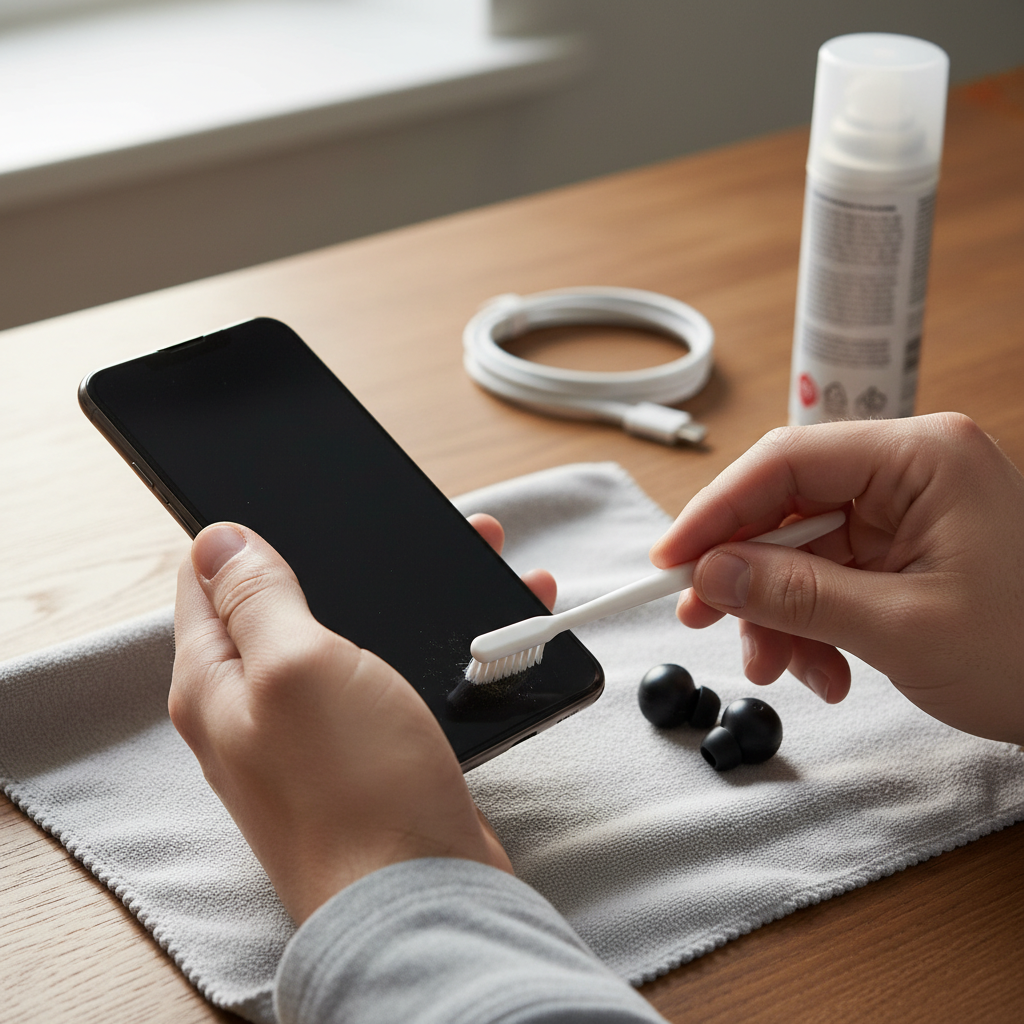
- Clean the speaker grill: Gently use a soft brush (like a toothbrush) or compressed air to remove any debris. Be gentle to avoid damaging the speaker.
- Check for water damage: If your phone got wet, moisture could damage the speaker. In this case, consult a professional.
- Software glitches: Sometimes, a simple restart can resolve temporary glitches affecting the speaker.
The “Can’t Hear You!” Conundrum
The Frustration: You’re on a call, and the other person can’t hear you, or your voice sounds distant or distorted.
How it Works: Your microphone could be blocked, damaged, or the software processing the audio might be faulty.
Fixes:
- Check microphone obstructions: Ensure nothing is blocking the microphone (often a small hole on the bottom of your phone). Remove any cases or screen protectors that cover the mic.
- Clean the microphone: Use the same method as the speaker – gently brush or use compressed air.
- Check app permissions: Make sure the app you’re using (e.g., phone app, voice recorder) has permission to use the microphone in your phone’s settings.
- Test the microphone: Use the voice recorder app to see if it’s picking up your voice. If not, it could be a hardware issue.
The “Silence is Golden” (But Not on My Phone) Problem
The Frustration: Your phone is completely silent – no ringtones, no notifications, nothing.
How it Works: A simple oversight like the mute switch being enabled can be the culprit.
Fixes:
- Check the basics: Is your phone on silent or vibrate mode? Is the volume turned all the way down?
- Check Bluetooth: Make sure your phone isn’t connected to a Bluetooth speaker or headphones. Disconnect any paired devices to see if the sound comes back to your phone’s speaker.
- Software glitches: Restarting your phone often fixes these temporary issues.
The Crackle and Pop Perplexer
The Frustration: You hear crackling, static, or distorted audio from your speaker.
How it Works: Could be a software issue, a damaged speaker, or even interference.
Fixes:
- Lower the volume: Playing audio at max volume can cause distortion.
- Software update: Ensure your phone’s operating system and apps are up-to-date.
- Hardware damage: If you’ve dropped your phone or it’s been exposed to water, the speaker might be damaged.
Mistakes People Make (And How to Avoid Them)
- Ignoring the Basics: Many times, the simplest solution is the correct one. Always check the volume, mute switch, and Bluetooth connections first.
- Forgetting About the Speaker Grill: The speaker grill is like a tiny vacuum cleaner for lint. Clean it regularly.
- Assuming the Worst: Before you panic and rush to a repair shop, try the basic troubleshooting steps. Often, the issue is easily fixed.
If your phone’s screen is damaged, check out our related article on Smartphone Screen SOS: Your Guide to a Clear, Clean, and Crisis-Free Display.
Safe and Practical Usage Tips for Better Audio
- Keep it Clean: Regularly clean your speaker and microphone grills to prevent buildup.
- Protect Your Phone: Use a protective case to prevent damage from drops or water.
- Update Regularly: Keep your phone’s software and apps updated to address potential audio bugs.
- Use Headphones for Calls: If you often make calls in noisy environments, use a headset with a built-in microphone for clearer audio.
Myths vs. Reality
- Myth: A software update will always fix sound problems.
- Reality: While updates often address bugs, they don’t always fix every audio issue, especially hardware problems.
- Myth: You need to buy a new phone if your speaker is not working.
- Reality: Most of the time, simple fixes (cleaning, restarting) resolve audio problems.
Long-Term Habits for Better Performance
- Regular Cleaning: Make cleaning the speaker and microphone part of your regular phone maintenance routine.
- Proper Storage: Store your phone in a safe place, away from extreme temperatures and moisture.
- Mindful Volume: Avoid blasting your phone’s volume at maximum levels, which can damage the speaker over time.
Frequently Asked Questions
-
Why is my phone volume so low even when it’s turned up?
Check for obstructions in the speaker or microphone grills. Make sure the volume isn’t set low within the app you’re using. If you have any Bluetooth devices connected, make sure that they aren’t interfering with the audio.
-
How do I test my phone’s speaker?
Play music or a video and see if you can hear it clearly. You can also use the speakerphone feature during a call to test the speaker.
-
What should I do if the other person can’t hear me during calls?
Check the microphone for obstructions. Make sure the app you’re using has access to your microphone, and try restarting your phone.
-
Can a software update fix my phone’s sound issues?
Possibly. Software updates often include bug fixes that can address audio problems.
-
My phone speaker sounds distorted. What’s wrong?
The speaker might be damaged, or the audio file might be corrupted. Lower the volume to see if it improves the sound quality. Consider a hardware repair if the problem persists.
-
How do I clean my phone’s speaker?
Gently use a soft-bristled brush or compressed air to remove dust and debris from the speaker grill.
-
Is it possible to damage my phone’s speaker by playing music too loud?
Yes, playing audio at maximum volume for extended periods can damage your phone’s speaker.
-
When should I take my phone to a repair shop?
If you’ve tried all the troubleshooting steps and the sound problems persist, or if you suspect hardware damage (like water damage), it’s time to take your phone to a professional.
The smartphone is a key part of our lives, and having sound issues can be incredibly frustrating. However, by understanding how your phone’s audio system works, you can often diagnose and fix the most common problems yourself. From cleaning the speaker grill to checking Bluetooth connections, these troubleshooting tips will help you restore your phone’s audio and keep you connected.
For more handy tech tips, check out our homepage.