
We all have them: those little things we do every day without a second thought. They become so ingrained in our routines that we don’t even *see* them anymore. But some of these habits, especially when it comes to electricity, can create problems we don’t realize until the bills arrive – or worse, a safety hazard emerges. Let’s dive into a common one: the habit of leaving things plugged in.
The Everyday Ritual of “Always On”
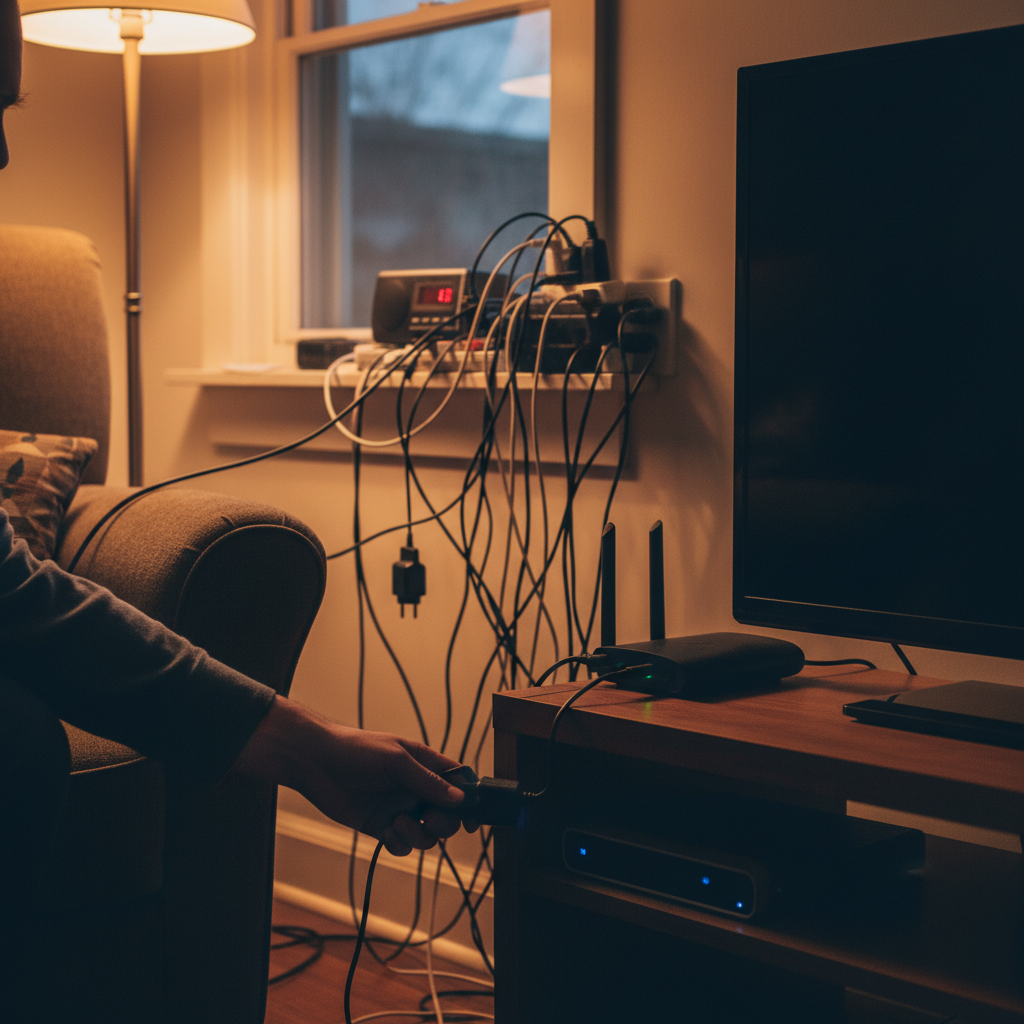
Think about your day. You wake up, maybe you charge your phone overnight. You make coffee, and the machine sits plugged in, ready to go. You work from home, and your laptop, monitor, and printer are always connected to the outlet. In the evening, the TV, gaming consoles, and various chargers for everything from toothbrushes to headphones stay plugged in. It’s the norm, right? We leave things plugged in because it’s convenient. We want them ready to use. But this seemingly harmless habit comes with a hidden cost.
The Silent Drain: Why Leaving Things Plugged In Matters
Here’s the thing: most electronics, even when turned “off,” continue to draw power. This is known as “phantom load” or “vampire energy”. It’s like a tiny, persistent drain on your electrical system, consuming energy and costing you money, 24 hours a day, 7 days a week.
The Numbers Game
While the amount of power each device consumes in standby mode is small, it adds up over time. The U.S. Department of Energy estimates that phantom loads account for 10% or more of your electricity bill. In a world where energy costs are constantly fluctuating, this is money literally going down the drain. Over a year, the cost of phantom load can be significant. Multiply that by all the devices in your home and you get a bigger drain on your wallet.
Beyond the Bill: Safety Concerns
Beyond the financial aspect, leaving devices plugged in can also pose safety risks.
* **Overheating:** While rare, a device left plugged in, especially older models, could potentially overheat.
* **Surge Vulnerability:** Power surges, whether from lightning strikes or fluctuations in the grid, can damage electronics. Devices that are plugged in are more vulnerable during these events. Although surge protectors can mitigate this, they are not foolproof.
* **Fire Hazards:** Damaged cords or faulty devices can pose a fire hazard if left plugged in.
Common Mistakes We Make (and How to Avoid Them)
We’re all human, and we’re all busy. It’s easy to fall into bad habits. Here are some of the most common mistakes related to plugging in devices, and simple ways to fix them:
* **Mistake:** Leaving chargers plugged in, even when the device is fully charged.
* **Fix:** Unplug chargers once the device is fully charged. This is especially true for items like phones and laptops.
* **Mistake:** Not unplugging appliances like coffee makers, toasters, and TVs when not in use.
* **Fix:** Make it a habit to unplug these items when you’re done using them. This simple act can save energy.
* **Mistake:** Overloading outlets with multiple devices.
* **Fix:** Avoid plugging multiple high-wattage devices into the same outlet or using multi-outlet converters for appliances.
* **Mistake:** Using damaged cords and plugs.
* **Fix:** Regularly inspect cords for fraying or damage and replace any damaged cords immediately.
Simple Habit Changes for a Smarter Home
The good news is, breaking this habit doesn’t require a complete overhaul of your lifestyle. Here are some easy changes you can implement right now:
* **Unplug, Unplug, Unplug:** Make it a conscious effort to unplug chargers and appliances when they are not in use. Place a small, sticky note reminder near your outlets if needed.
* **Power Strips to the Rescue:** Use power strips or smart power strips, especially for entertainment centers or home office setups. You can turn off multiple devices with a single switch. Smart power strips can even detect when a device is not in use and cut off the power automatically.
* **Embrace the “Off” Button:** Get into the habit of turning off devices at the power button, not just using the remote control.
* **Regular Inspections:** Periodically check all your cords and outlets for wear and tear. Replace damaged items promptly.
* **Smart Plugs:** Install smart plugs to monitor the power loads and even shut off appliances if an outlet begins to overheat.
The Long-Term Benefits: Savings, Safety, and Peace of Mind
The benefits of breaking the “always on” habit extend far beyond a few dollars saved each month.
* **Financial Savings:** Over time, these small changes add up. You’ll see a noticeable decrease in your electricity bill.
* **Enhanced Safety:** Reducing the risk of overheating and power surges contributes to a safer home environment.
* **Reduced Environmental Impact:** By consuming less electricity, you’re contributing to a smaller carbon footprint. This is a benefit for the environment as well.
* **Peace of Mind:** Knowing that you are actively taking steps to conserve energy and protect your home gives you a sense of control and reduces stress.
Your Oven’s Silent Plea for Attention, like many appliances, can draw power even when turned off. Addressing these phantom loads is a step toward greater energy efficiency.
can provide even more information about making your home more energy efficient.
Frequently Asked Questions
* **Q: How much money can I really save by unplugging devices?**
A: The amount varies depending on the number of devices you have and the cost of electricity in your area. However, even a small reduction in phantom load can translate to significant savings over a year. The U.S. Department of Energy estimates that phantom loads account for 10% or more of your electricity bill.
* **Q: Are all devices affected by phantom load?**
A: No, not all devices consume power when turned off. However, many electronics, such as TVs, computers, gaming consoles, and chargers, do draw a small amount of electricity.
* **Q: Do I need to unplug everything all the time?**
A: No, not necessarily. The goal is to be mindful of which devices consume power even when off. Prioritize unplugging devices that you don’t use frequently or those with external power supplies (like chargers).
* **Q: Is it safe to use power strips?**
A: Yes, power strips are generally safe as long as you don’t overload them. Be sure to use power strips with surge protection to protect your devices from power surges. Also, never plug one power strip into another.
* **Q: What about appliances that I need to keep plugged in?**
A: Appliances like refrigerators and freezers need to stay plugged in. However, consider energy-efficient models. Furthermore, make sure to inspect them for any signs of damage or unusual operation.
* **Q: Should I worry about the electricity used by my smart devices (like smart speakers)?**
A: Yes, smart devices, like all electronics, contribute to phantom load. While the amount of power each device uses is small, it still adds up. Using a smart power strip is a good way to manage these.
* **Q: How often should I inspect my electrical cords?**
A: Inspect your electrical cords regularly, at least every few months, and replace any that show signs of wear or damage. Look for fraying, cracks, or exposed wires.
* **Q: Can I do electrical repairs myself?**
A: For basic tasks like changing a lightbulb or replacing a standard outlet, you can do it yourself, but always turn off the power at the circuit breaker first. However, for anything more complex, like wiring changes or panel upgrades, it’s best to hire a qualified electrician. They can ensure the work meets local codes and standards.